We may earn a small commission if you sign up for a service or product from this page. This does not affect our rankings and it does not cost you anything. Learn more about how we make money and our review process on our advertising disclosure page.

We funded an M1 Finance account with $10,000 of our own money and used it like an actual investor for several months – building Pies, riding out a few ugly market days, testing the high-yield cash account, and pulling money back out the other side. This isn’t a recap of M1’s marketing page. It’s what the platform feels like when your own savings are on the line.
M1 sits in an odd spot. It isn’t a true robo-advisor (no algorithm picks your portfolio for you, no tax-loss harvesting), and it isn’t a traditional brokerage (you can’t day-trade, and trades only execute during scheduled windows). It’s a third thing – a self-directed brokerage with automation bolted on top – and that confuses a lot of new users. After $10,000 through the platform, we have strong opinions about who should use it and who shouldn’t.
M1 Finance: Quick Facts
| Our Test Amount | $10,000 of our own money |
| Platform Fee | $3/month (waived at $10,000+ balance or with an active Personal Loan) |
| Trading Commissions | $0 |
| Management Fees | $0 |
| Minimum to Open | $0 to open / $100 to start trading / $500 for retirement accounts |
| High-Yield Cash APY | 3.10% (as of our test) |
| FDIC Coverage on Cash | Up to $4.75M (aggregated through partner banks) |
| Margin Loan Rate (M1 Borrow) | 5.90% (M1 pricing page, September 2026; 5.65% during our test), $2,000 minimum invested |
| Account Types | Individual, Joint, Custodial, Traditional/Roth/SEP IRA, Trust, Crypto (via Bakkt) |
| Tax-Loss Harvesting | No |
| Mutual Funds | No (ETFs and individual stocks only) |
| Trade Execution | Scheduled trade windows (not real-time) |
| SIPC Coverage | Up to $500,000 |
| Inactivity Fee | $50 after 90 days with no activity (accounts over $20) |
| Desktop App | Yes |
| Mobile App | Yes (4.6 average rating) |
| Customer Support | Email and phone, weekdays |
Our Test: $10,000 of Our Own Money
We didn’t shadow an M1 account from the outside or borrow a demo login. We opened a real individual brokerage account, linked a real bank, and wired in $10,000 of our own cash. opened in 2021, funded with $10,000 in early 2022.
The plan was simple: build a custom Pie that mirrored how an ordinary long-term investor might actually use the platform, see what the dashboard looks like when there’s real money in it, leave some idle in the high-yield cash account, and eventually withdraw a meaningful chunk to test how painful that part is. We wanted to know what M1 does well and what it quietly does badly when no one’s watching.
Our allocation: a roughly 60/30/10 split across broad-market ETFs (VTI, VXUS), a slice of individual stocks across tech and consumer, and a short-duration bond ETF for ballast. Roughly the kind of Pie a 35-year-old with a 25-year horizon might build on a Saturday morning. Nothing exotic, nothing degenerate.
The full hands-on results are in the sections below. Short version: M1’s Pie model is genuinely good once you understand it, the trade windows take getting used to, the cash account works exactly as advertised, and the withdrawal process was less annoying than we expected (which, given our experience with other platforms, is its own kind of compliment).
What M1 Finance Is
M1 Finance launched in 2015 with one weird, sticky idea: instead of buying X shares of Y stock, you set a target percentage for each holding inside a “Pie.” Want 30% VTI, 20% SCHD, 10% AAPL, and another 40% split across seven other names? You draw the Pie, fund the account, and M1 buys fractional shares to match those percentages automatically. Every new deposit gets allocated the same way. The Pie is the product.
What you don’t get: algorithmic portfolio construction, automated tax-loss harvesting, human advisors, real-time order execution, or mutual funds. M1 is not Betterment. It is not Wealthfront. It is not Schwab. It is its own thing, and the moment you stop comparing it to those services and just take it on its own terms, the platform clicks.
The other modules – M1 High-Yield Cash, M1 Borrow, the Owner’s Rewards credit card, crypto via Bakkt – are bolted onto that core. Some of them are genuinely useful. One of them (we’ll get to it) is mostly there to give the homepage a fifth bullet point.
M1 Invest: The Pies, Explained
You build a Pie by adding “Slices.” Each Slice is a holding (a stock, an ETF, or another Pie nested inside this one). You assign a target percentage to each Slice, and the targets have to add up to 100. That’s it. There’s no questionnaire, no risk-tolerance quiz, no algorithm telling you that you’d be more comfortable with a 60/40 split.
For people who already know what they want to own, this is liberating. For people who don’t, it’s terrifying – and M1 papers over that with a library of pre-built “Expert Pies” (general investing, retirement by target date, socially responsible, hedge fund replicators, dividend income, and a few thematic ones). The pre-built Pies are fine. They’re not magic. They’re MPT-flavored ETF baskets you could replicate yourself in a spreadsheet.
The clever bit is what happens after you build it. Every contribution you make gets automatically allocated to the most underweight Slices first – so the act of adding $500 a month also rebalances your portfolio for free. No selling required, no taxable event triggered. Over time, that’s a real edge if you contribute regularly.
You can also hit “Rebalance” manually, which sells from overweight Slices and buys underweight ones in one shot. Useful, but tax-inefficient in a taxable account – so we used it sparingly and let contributions do the work.
Trade Windows: The Thing Everyone Complains About
M1 doesn’t execute trades the second you hit buy. Orders get queued and executed during scheduled trade windows. Accounts under $25,000 can pick either the morning window (9:30am ET, market open) or the afternoon window (around 3pm ET) – one per day. Cross $25,000 in invested assets and you get both windows on the same day. If you place an order at 1pm, it sits until the next window. If you change your mind at 8:25am, you have five minutes to cancel.
This drives day-traders insane and is, we think, the correct design choice for the audience M1 serves. If you’re building a long-term Pie, the difference between buying VTI at 9:30am vs 11:47am is statistical noise that won’t show up in your returns over 20 years. If you’re trying to time the open of an earnings report, M1 is the wrong tool and you should use a different broker. We didn’t find this annoying once. Your mileage may vary.
M1 Finance Fees: What You’ll Pay
M1’s fee structure is unusual enough that it’s worth unpacking properly, because the headline “commission-free” hides one important number.
Trades: $0. Management: $0. Account opening: $0. So far, so normal.
The catch is a $3/month platform fee that applies if your total M1 balance is under $10,000 and you don’t have an active Personal Loan. At $36/year, that’s not catastrophic on a small balance – but on, say, a $2,000 account, it works out to a 1.8% annual fee, which is worse than almost any robo-advisor on the market. M1 quietly stopped being a great option for very small balances when this fee landed.
Cross the $10,000 threshold (even for one day in a billing cycle) and the fee is waived. Our test account sat at $10,000 from day one, so we never paid it. Worth knowing if you’re planning to start with $500 and dollar-cost in.
Other fees to be aware of:
- Inactivity fee: $50 if your account has more than $20 and no activity for 90+ days. Not friendly. Set up an automatic $10/month contribution and forget about it.
- Wire transfers: Outgoing wires aren’t free.
- Account closure / ACAT out: M1 charges a fee to transfer your account to another broker. Standard for the industry, but it exists.
- Regulatory / SEC fees: Pennies per sale on stocks and ETFs, mandated by law. Every broker passes these through.
- ADR fees: If you own foreign stocks via ADRs, the issuing bank takes a small annual cut. Not M1’s fault.
For a long-term investor with $10,000+ who isn’t churning the account, M1 is genuinely close to free. For someone testing the waters with $300, it’s the most expensive robo on the list. That’s worth saying clearly.
M1 High-Yield Cash: The Quiet Win
M1 offers a High-Yield Cash account paid 3.10% APY at the time of our test (M1 now lists 3.35%; the rate floats with the broader market). You need an open investment account to use it, a $100 minimum to start earning, and the cash is FDIC-insured up to $4.75 million via a network of partner banks.
We parked $2,000 of our test funds here for a couple of months. It does what it says. Money sits, interest accrues daily, and you can sweep it into your Invest account whenever you want. The Visa debit card arrived in about a week.
3.10% isn’t market-leading – there are pure savings products from Wealthfront, Marcus, and various challenger banks that have, at various points, paid more. But if you’re already using M1 for investing, the convenience of one login and instant transfers between cash and Pie genuinely matters. We’d recommend it over leaving cash idle in your brokerage sweep account, which typically pays near zero.
M1 Borrow: Cheap Money, Real Risk
M1 Borrow is a margin line of credit secured by your invested portfolio. The base rate during our test was 5.65%, which is competitive against most retail margin (Fidelity, Schwab, and E*Trade typically charge several percentage points more for similar balances). You can borrow up to 50% of your portfolio value, with a $2,000 minimum invested in a non-retirement account.
We didn’t borrow against our test account – drawing margin to write a review felt like the wrong way to learn a lesson – but the mechanics are straightforward. You request a draw, the money lands in your linked bank account (or your M1 Cash), and you pay it back on your own schedule. Interest accrues daily.
Two things to be honest about. First, this is margin debt, with all the standard risks. If your portfolio drops far enough, you’ll get a margin call, and if you can’t meet it M1 will sell your positions at the worst possible moment to cover the loan. Second, “low” interest rates encourage people to do dumb things with borrowed money, and the dumbest of those is using a margin loan to buy more of the same volatile stocks you already own. Don’t.
For specific use cases – a bridge loan against an investment portfolio, debt consolidation away from a 22% credit card, or a short-term cash need where liquidating would trigger capital gains – M1 Borrow is one of the cheaper retail products available. For “let’s juice our returns,” it’s the same loaded gun every margin product has always been.
M1 Owner’s Rewards Credit Card
M1’s credit card pays tiered cashback – 10% at select premium brands (Adobe, AMC, Netflix, Spotify and a few others), 5% at a handful of fast-casual chains, 2.5% at Apple/Target/Uber/Lyft, and 1.5% on everything else. No annual fee. The trick is that cashback can auto-reinvest into your M1 Invest account.
We didn’t apply for the card as part of this test (it’s a separate underwriting process and felt out of scope), so this section is from the documentation rather than a hand on the plastic. The 10% tier exists but is narrow, and most people will get the 1.5% base rate on most spending, which is below what cards like Citi Double Cash already pay in pure cashback. The selling point isn’t the rate – it’s the automatic reinvestment. If forced auto-investing of your cashback is what gets you to save, it’s a useful tool. If you’re disciplined already, it’s a card.
M1 Personal Loans
Separate from M1 Borrow (which is margin against your invested portfolio), M1 also offers traditional unsecured Personal Loans for qualified members. Loan amounts and rates depend on creditworthiness, and having an active Personal Loan waives the $3/month platform fee on any balance. We didn’t apply for one – our test was an investing review, not a credit application – but it’s worth knowing the product exists, particularly if you’d take the platform-fee waiver as a side benefit of consolidating other debt.
Crypto on M1
M1 offers crypto trading through Bakkt, which is its own custodian. You can buy and sell, but you can’t transfer coins in or out to an external wallet, which is a dealbreaker for anyone who wants actual custody. We treated this feature the way most M1 users probably should – as an interesting tab in the app we didn’t open.
If you want crypto exposure inside a long-term portfolio and you don’t care about self-custody, M1’s implementation is fine. If you want crypto, full stop, use a dedicated exchange. The crypto product is not why anyone joins M1.
What Our $10K Test Showed
Account Opening
Sign-up took about 12 minutes from start to “ready to fund.” Standard brokerage onboarding: name, address, SSN, employment info, the usual KYC questionnaire about whether we’re a politically exposed person (we’re not). no specific friction. Identity verified on the first attempt, ACH funding cleared without document chases.
Funding the $10,000 via ACH took the standard 3-4 business days for the deposit to fully clear and become tradable, though M1 made the first $1,000 available for trades almost immediately. Wire would’ve been same-day. Nothing unusual here, but it’s worth setting the expectation – if you want to be in the market on Monday, fund on Wednesday or wire.
The Dashboard, Lived-In
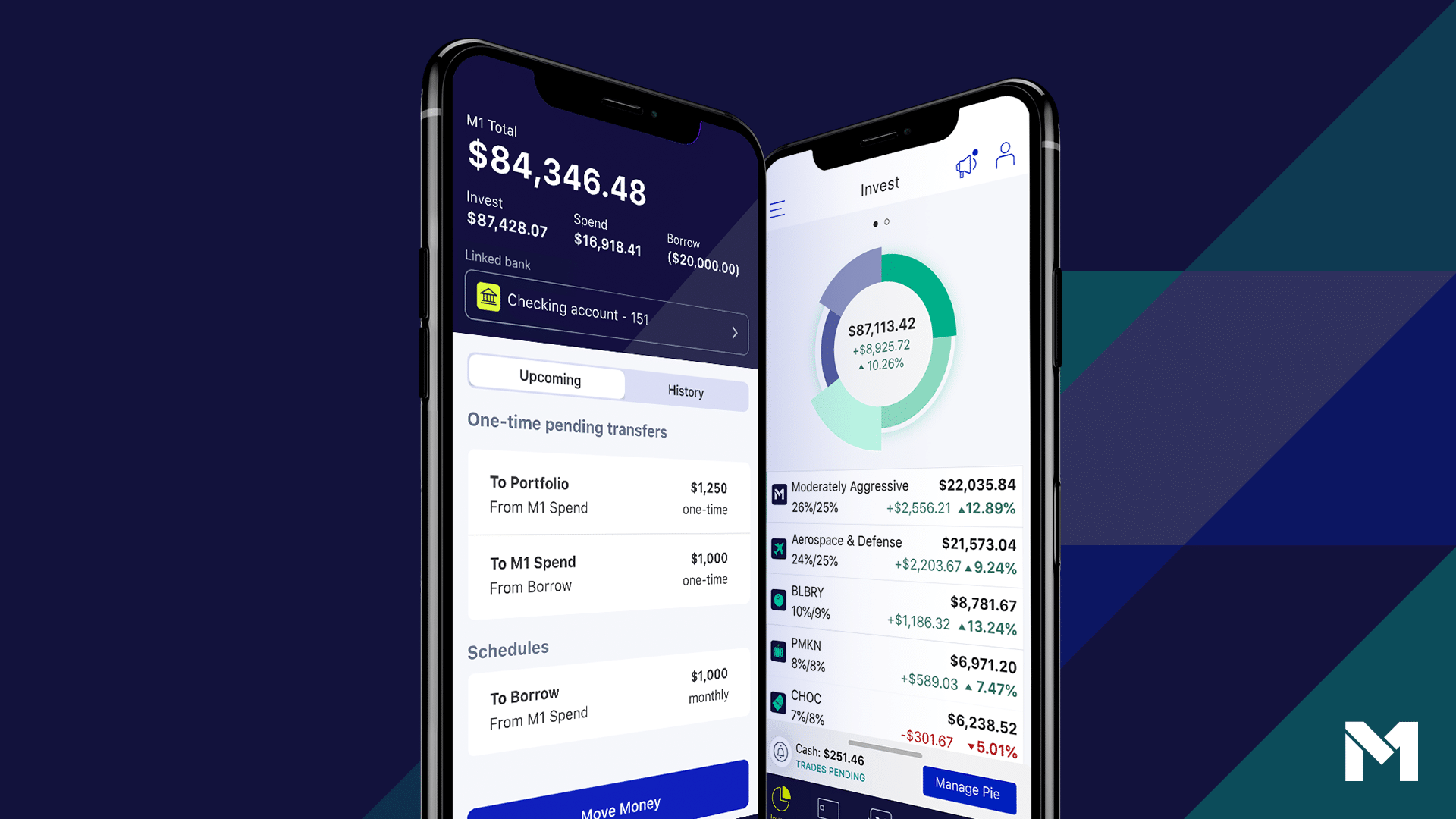
The Pie visualization is M1’s best feature and it stays good after the novelty wears off. At a glance you see allocation drift, which Slices are pulling above their target, and how new contributions will be deployed. This is information most brokerages bury three menus deep.
The mobile app (4.6 average rating, deservedly) mirrors the desktop experience almost perfectly. We did 80% of our checking-in on mobile and 20% of our actual edits on desktop, which felt natural. Push notifications for trade execution are useful; everything else can be turned off.
What we didn’t love: research tools are thin. You get basic stock pages with price history, a short company description, and a few metrics. No earnings transcripts, no analyst estimates, no real news feed. If you make investment decisions based on research, you’ll be doing that research somewhere else and then placing your trades on M1. That’s fine – we’d argue it’s correct – but it’s a real limitation if you expected one app for everything.
Fees in Practice
Over the course of our test, the total fees we paid to M1 were a few cents in regulatory fees over the test window. The platform fee was waived because we stayed at $10K+. No commissions. No management fee.
For comparison, $10,000 in Betterment’s digital plan would have cost $25/year. $10,000 in Wealthfront, the same. $10,000 in M1: effectively zero. On larger balances the gap widens. This is the structural argument for M1 if you have enough to clear the threshold and you’re comfortable picking your own ETFs.
Withdrawal Test
Toward the end of the test we requested a withdrawal of $3,500 back to our linked bank. The cash was waiting in the form of unallocated funds in M1 Cash, so we initiated an ACH withdrawal directly from the app.
Time to land: three business days. No surprise holds, no “we need to verify this request” calls, no surcharges. This is the part where bad brokerages tend to suddenly remember they care about your identity, and M1 did not. We rate the experience pleasantly forgettable, which is what you want from a withdrawal.
Selling Pie holdings to fund the withdrawal worked the way the documentation says it does: M1 sold proportionally from each Slice to maintain target allocation. No “you’ve drifted” warning to clean up afterwards. The math just worked.
Performance: Why We’re Not Showing You Pretty Charts
M1 doesn’t publish standardized historical returns and we won’t pretend to either. Performance on M1 is entirely a function of which Pie you build. A 100% S&P 500 Pie returned roughly what the S&P 500 returned. An all-tech Pie did better in some windows and worse in others. There is no “M1 portfolio” the way there’s a “Betterment 80/20 portfolio” – because you’re the portfolio manager.
What we can say: the mechanics didn’t cost us anything observable. Fractional shares meant our deposits were fully invested almost immediately. Auto-allocation kept the Pie close to target without us touching it. The platform did its job. Whether your specific Pie outperforms or underperforms is on you.
Safety and Security
M1 Invest accounts are held at M1 Finance LLC, a SIPC member, with coverage up to $500,000 (including $250,000 for cash). M1 High-Yield Cash deposits sit at partner banks and are FDIC-insured up to $4.75 million in aggregate through that network. Two-factor authentication is supported and we’d argue mandatory. Biometric login is available in the mobile app.
No public security incident has been disclosed by M1 in the years we’ve watched the platform. That’s a positive signal, but it’s not a guarantee of anything – the right protection is still personal good hygiene. Use a unique password. Turn on 2FA. Don’t reuse the email you used for that gym membership in 2014.
The Regulatory Reality: M1 Finance Has No Form ADV
Here’s a fact that never shows up on M1’s homepage: M1 Finance LLC, the broker-dealer (CRD 281242) that holds your Pie and executes your trades, is not registered with the SEC as an investment adviser and has no Form ADV on file. We checked the SEC’s own adviser database directly and it comes back empty – not an old filing, not a redacted one, none. That’s the structural reason M1 “isn’t a true robo-advisor,” a distinction we made early in this review before we’d pulled a single filing.
Betterment and Wealthfront are SEC-registered investment advisers. When their algorithm sets your allocation and rebalances it, that’s discretionary investment advice, regulated (and periodically examined) under the Investment Advisers Act. M1’s Pie/self-directed product runs through the broker-dealer side of the business instead – you’re placing your own trades against your own targets, which is why the SEC doesn’t require an advisory registration for it. Not a knock. A different regulatory category, and one you should know about before assuming Pie-investing gets the same oversight as an actual robo-advisor.
There is exactly one SEC-registered adviser in the M1 corporate family: M1 Advisory Services LLC (CRD 249787). It sat dormant for years, then activated on July 8, 2026 to launch M1 Advisor, its first AI-delivered advisory product. Its Form ADV, filed the same day, reports $633,573 in regulatory assets under management across 2 total accounts, entirely non-discretionary. The fee “will not exceed 0.20% per year,” and there’s no stated account minimum. That’s the entire advisory business as of the filing date – a rounding error next to M1’s real user base, and not a stand-in for the Pie/brokerage assets, which still don’t show up in any SEC AUM figure because they aren’t regulated as advice.
Who M1 Makes Sense For
- Long-term investors with $10K+ who like ETFs and don’t want to pay 0.25% AUM forever. The platform fee waiver kicks in, the experience is good, and you don’t pay management fees on growth.
- People who want a passive-but-personal portfolio. If you have opinions about your allocation (more international, less tech, a specific bond ladder) but you don’t want to babysit it, M1’s Pie + auto-allocation model is purpose-built for you.
- DIY investors who need help with discipline. Trade windows and auto-rebalancing make it harder to panic-sell on a bad Tuesday. That’s a feature.
- Investors stacking multiple goals. Multiple Pies, multiple accounts, multiple goals – the structure supports this cleanly.
- Anyone who wants cheap margin against a brokerage portfolio. M1 Borrow at 5.90% (M1 pricing page, September 2026) is competitive enough to be useful for specific cash needs (not for juicing returns).
Who M1 Is a Worse Fit For
- Beginners with very small balances. The $3/month platform fee under $10K turns into a punishing percentage. Use Fidelity or a true zero-fee robo until you’re ready.
- Active traders. Scheduled trade windows. No options. No after-hours trading. Wrong tool, wrong job.
- Investors who need tax-loss harvesting. M1 doesn’t do it. If you’re in a high tax bracket with a large taxable account, Wealthfront or Betterment will save you more in taxes than M1 saves you in fees.
- Mutual fund holders. ETFs and stocks only. If your 401(k) advisor put you in 12 mutual funds and you want to consolidate, M1 isn’t your platform.
- Crypto-native users. No self-custody, no transfers in or out. Use a dedicated exchange.
- Investors who want a human advisor. M1 doesn’t sell advice. You’re on your own for asset allocation questions.
M1 Finance vs the Competition
The honest framing: M1 isn’t really competing with the robos people usually compare it to. Betterment and Wealthfront charge 0.25% AUM but do the asset allocation, rebalancing, and tax-loss harvesting for you. If you don’t have opinions about your portfolio, those are the right products, and you’ll happily pay a quarter percent to not think about it.
M1 is closer in spirit to Fidelity or Schwab – a DIY brokerage – but with two key differences: the Pie/auto-allocation model, and the integration between Invest, Cash, and Borrow. If you’d otherwise be hand-rebalancing a spreadsheet at Schwab, M1 saves you the work. If you’d otherwise be paying Betterment to think for you, M1 makes you do the thinking.
The right question isn’t “which is better” but “which one matches how I actually want to invest.” We’ve used all three. M1 won this round on our $10,000 because we had opinions about what we wanted to own. With a different test setup, we’d probably have come down somewhere else.
Our Verdict After $10,000
M1 Finance is one of the better platforms we’ve used for self-directed long-term investing, with a clear caveat: it’s optimized for one specific kind of investor, and aggressively unhelpful for everyone else. If you have $10,000+, you like ETFs, you want light automation without paying for full robo-advice, and you’re comfortable picking your own allocation – M1 is excellent and probably the cheapest way to do what you’re trying to do.
If you’re starting with $300 and looking for hand-holding, M1 will charge you a percentage fee through the platform charge, give you no algorithmic guidance, and frustrate you with trade windows. Pick a different product. That’s not a knock on M1 – it’s just not the customer they built for.
Our $10,000 went in. It got allocated cleanly. The platform did its job invisibly for several months (the highest compliment we can pay any financial product). When we pulled money back out, it landed without drama. Our M1 account ultimately wound down in 2023 after we redeployed the funds across other test platforms; we received a low-balance fee notice that summer and the account moved to dormant status. The observations above are from our actively-funded period, and M1’s closure mechanics were as clean as the rest of the platform. The only meaningful gripe we have is the small-account fee structure, which has quietly made M1 the wrong answer for the exact “beginner investors” the platform used to court.
Used the way it’s designed to be used, M1 is good. Used any other way, it’s frustrating. We can’t write a more honest sentence than that after $10,000 through it.