We may earn a small commission if you sign up for a service or product from this page. This does not affect our rankings and it does not cost you anything. Learn more about how we make money and our review process on our advertising disclosure page.

Did you know that the average APY for a savings account in the US is only 0.61%? What if we told you there’s an account that can give you on your idle cash? Well, there is!
M1 Checking (previously called M1 Spend) is a high-yield cash account from M1 Finance – a free personal finance “super app” which allows you to invest, borrow, and save, all in one place. You can read more about M1 Finance here, or keep reading for our M1 Checking review.
What is M1 Checking?
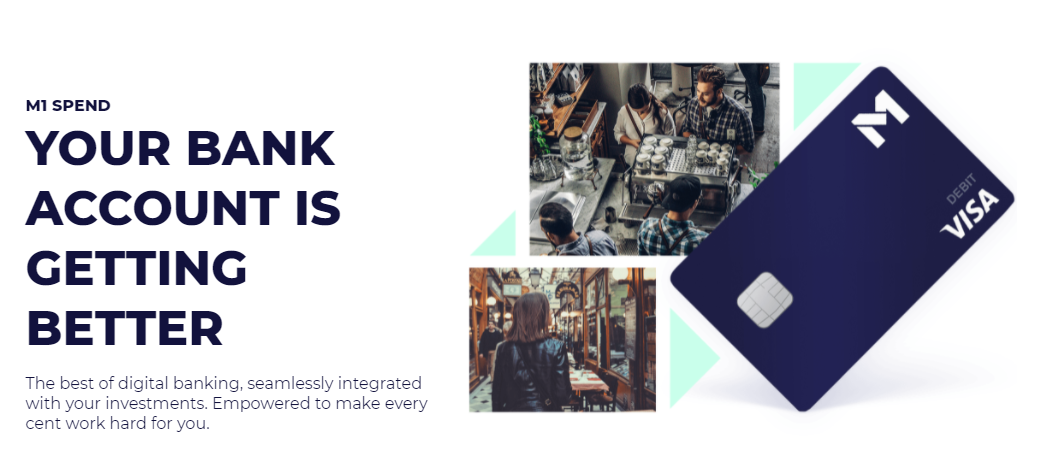
M1 Checking is an FDIC-insured checking account and debit card that earns APY on the money in your checking account. If you plan to store a considerable amount of money in your checking account or use your debit card somewhat frequently, M1 Plus’ $3/month fee will pay for itself.
But several other bonuses apply to other aspects of the M1 platform. For M1 Invest, you’ll have two trade windows (morning and afternoon) and the ability to set up “smart” transfers for managing your money through different accounts.
M1 Plus also gives you access to the lowest rate for M1 Borrow – only 5.65% (although certain conditions apply).
This is just to briefly touch on the bonuses offered by M1 Plus (more on this page). Overall, we think it’s a solid investment option if you’ll use M1 Finance often. If you plan to use your checking account regularly and utilize the investing features to manage your money, then it’s a no-brainer. You can even start with the base M1 Checking and upgrade when you see fit.
Is M1 Checking Worth It?
As a checking account alone, M1’s is a great option. But when combined with the M1 Finance platform, especially M1 Plus, it’s a service worth considering. Once you incorporate the benefits of M1 Plus’ APY and 1% cash back plus the other benefits, you’ll have an account that does much more than the typical checking account.
One downside of M1 Finance is that there is no physical branch to visit. Additionally, you need to be careful of ATM fees. Even with M1 Plus, you are only covered for 4 ATM reimbursements per month. This isn’t many, and you’ll need to be careful how often you withdraw money.
Overall, if you want to spend, borrow, and invest all in one place, then we think M1 Finance is a great choice. Seamlessly transitioning cash into an investment portfolio is a significant benefit, and you don’t have to have your cash sitting by, earning almost nothing. M1 Checking is a worthy addition to M1’s existing portfolio as a “finance super app,” but watch out for the abovementioned issues.
M1 Checking vs. Others
So, how does M1 compare to other high-yield cash accounts offered by other major online robo advisors? We’ve put together this handy chart to help you decide! You’ll see what is provided by M1 Checking, and we think it stacks up quite well with other offerings if you’re already an M1 Plus member.
We’ve included the interest rate, fees, debit card, and amount insured in this review. Click each link to learn more about each service.
Do note that the information in the chart is based on M1 Plus:
High-Yield Cash Accounts Comparison
| M1 Checking (Plus) | Empower Personal Cash | Wealthfront Cash | Betterment Cash | ||
| Interest Rate* | 3.75% | 3.30% | 3.25% | ||
| Fees | $3/month | None | None | None | |
| Debit Card | Yes, 1% Cash Back | No | Yes, No Cash Back | Yes, Variable Cash Back | |
| Insurance | $250,000 | $2 million | $8 Million | $1 million | |
| Learn More | Learn More | Learn More | Learn More |
Conclusion
Overall, we really like M1 Checking if you’re already an M1 Plus member. If you’re not and don’t plan to be one, you’ll have to decide whether it justifies the $3/month investment. Other robo-advisor cash accounts (as you’ll see above) offer similar rates of return without the annual fee, but don’t offer the other benefits of integrating with the M1 Finance platform.
Thanks for checking out our comprehensive overview and M1 Checking review! You can find some FAQs below if you want to learn more.
FAQs
Is M1 Checking Free?
Yes, it is free to open an M1 Checking account. However, there are certain potential costs you should be aware of. First, to upgrade to an M1 Plus account, it is $3/month.
Additionally, M1 Checking has 1 ATM reimbursement per month. After that, there are ATM fees. M1 Plus members get 4 ATM reimbursements per month.
How to Open an M1 Checking Account
Opening an M1 Checking account is easy. Just click here to get started. You will have to fill in your personal and banking info, and there is no minimum account balance to open an account.
How to Use M1 Checking
M1 Checking integrates into the M1 Finance platform, allowing easy integration with M1 Borrow and Invest, all through the app. After downloading the app, you can fully control your checking account and manage, move, and withdraw/deposit funds. You can also use the desktop platform to access M1 Checking.
Once you open an account, you will be sent a debit card that you can use to make purchases. You will also receive an account and routing number for direct deposit or bill payment.
Is M1 Checking FDIC Insured?
Yes! M1 Checking is an FDIC-insured checking account. Your money will be held with Lincoln Savings Bank, Member FDIC. You get insurance protection for up to $250,000.
What is M1 Checking’s Routing Number?
M1 Checking’s routing number is 073923033. You will also receive an account number for your individual account, which you can use for direct deposit and bill paying.
Is There a Minimum Balance Required?
No minimum balance is required for either Free or M1 Plus members.
What are M1 Checking’s International Fees?
If you’re an M1 Plus member, all international fees are reimbursed. If you’re a free member, fees range between 0.8% and 1.0%