We may earn a small commission if you sign up for a service or product from this page. This does not affect our rankings and it does not cost you anything. Learn more about how we make money and our review process on our advertising disclosure page.

Empower’s free personal finance dashboard is one of the best free money tools available, worth signing up for even if you never speak to one of their advisors. The net worth tracker, retirement planner, and fee analyzer work well and cost nothing.
The managed Empower Wealth Management advisory service starts at a $100,000 minimum with a 0.89% fee – fine on paper, but several competitors offer comparable hybrid robo-plus-advisor products for less.
Key Takeaways
- The free personal finance dashboard is genuinely useful after four years of first-hand testing; the advisory service review is research-only – we did not fund it.
- The net worth tracker and fee analyzer alone are worth a free signup, especially if your assets are scattered across more than three accounts.
- The advisory service minimum is $100,000 with a 0.89% fee on the first $1M – real money for a hybrid product that competitors undercut.
- Empower’s advisor team will call you repeatedly once your linked balances cross $100,000. Calls taper off after you decline a few times.
- Personal Capital was acquired by Empower Retirement in 2020 for $825 million plus earnouts, then formally renamed Empower in February 2023. The free dashboard is the same product with new branding.
Empower at a Glance
| What We Tested | Free Personal Dashboard (roughly four years of personal use) |
| What We Did NOT Test | Empower Wealth Management advisory service ($100,000 minimum) |
| Free Dashboard Cost | $0, no upsell wall on any of the planning tools |
| Advisory Fee (Research) | 0.89% on the first $1M, tiered down on balances above that |
| Advisory Minimum | $100,000 invested |
| Private Client Tier | $1,000,000+ (lower blended fees, dedicated advisors) |
| Cash Account | Empower Personal Cash, FDIC coverage aggregated up to $5M, no fees, no minimum |
| Founded | 2009 as SafeCorp; rebranded Personal Capital in 2010; acquired by Empower in 2020; renamed Empower in 2023 |
| Headquarters | Redwood City, CA (Personal Capital legacy); Greenwood Village, CO (parent) |
| Apps | Web, iOS, Android |
| Tax-Loss Harvesting | Yes, on the advisory side |
| Human Advisors | Yes, on the advisory side (CFPs at higher tiers) |
| Crypto | No |
What This Empower Review Covers – and What It Doesn’t
We’ve used Empower’s free personal finance dashboard for about four years to track our own net worth, retirement allocation, and spending. We have not funded their advisory service – their $100,000 advisory service minimum is more than we’d allocate to a single platform test, and we’d rather say that than fake it.
This review is split down the middle. The free dashboard half is years of first-hand use, opinions formed by logging in week after week. The managed advisory half is research – what their pitch says, what their fee schedule looks like, how it stacks up against the lower-minimum competition. We’ll be explicit about which is which.
If you want the short version: the dashboard is genuinely one of the best free money tools on the market and worth signing up for even if you never speak to one of their advisors. The managed service is fine on paper, but the $100K minimum and 0.89% fee mean you’re paying real money for a hybrid robo-plus-advisor product that several competitors will sell you for less. We’d be cautious about handing them six figures on the basis of dashboard polish alone.
What Happened to Personal Capital? The Rebrand Explained
If you remember this product as Personal Capital, you’re not behind the times. Personal Capital was acquired by Empower Retirement in 2020 for $825 million plus earnouts, then formally renamed Empower in February 2023. The free dashboard – the part most readers care about – is the same product with new branding, a slightly cleaner UI, and the parent company’s much larger book of retirement plan business behind it.
From the user side, what changed is mostly cosmetic. Login URLs redirected, logos got swapped, account aggregation still works the same way (Yodlee under the hood). The advisory product has been folded into Empower’s broader wealth management umbrella, which now sits alongside their 401(k) administration business serving about 19 million people. That scale is reassuring on counterparty risk and not very interesting otherwise.
Our First-Hand Experience: The Free Personal Finance Dashboard
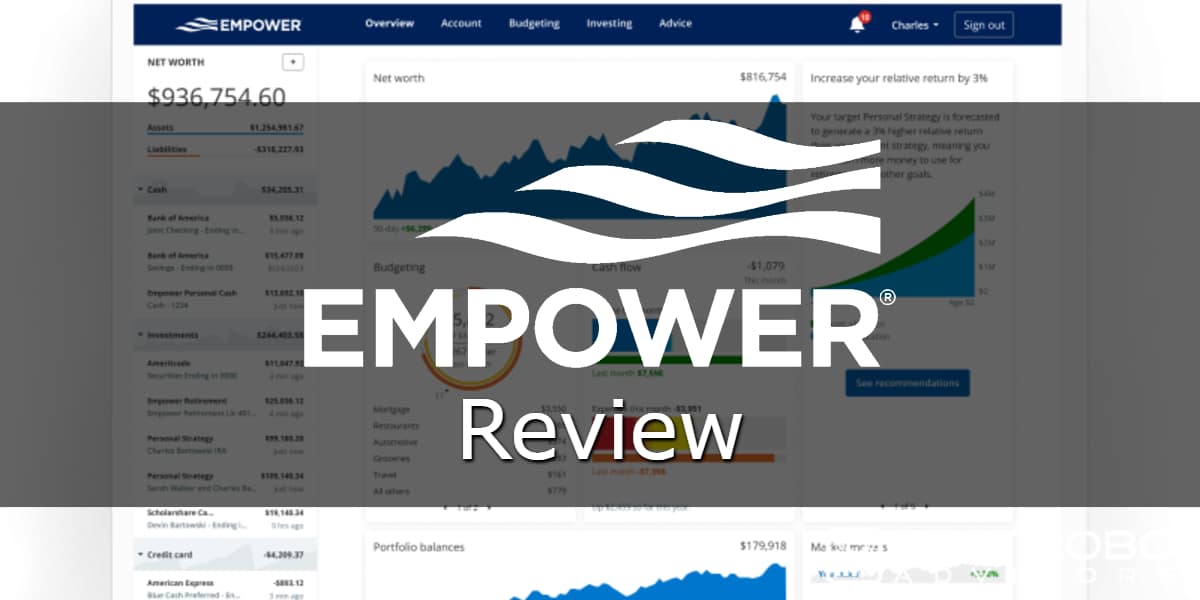
We’ve been logging into this dashboard since the Personal Capital era and kept the account through the rebrand. The use case has been simple and stayed simple: one screen that shows every account in one place, updated overnight, with enough planning tools layered on top to answer the questions we ask ourselves (am I on track for retirement, what are my fees costing me, how is my allocation drifting).
Here’s what we use regularly, what we use occasionally, and what we ignore.
Net Worth Tracker: The Reason We Still Log In
The net worth tracker is the feature that earned the bookmark, and it’s the core reason to sign up for Empower’s free personal finance dashboard. You link your bank accounts, brokerage accounts, retirement accounts, credit cards, mortgages, and any held-away assets you can plug in manually (we use it for a rental property and a couple of crypto wallets). Every night the dashboard pulls fresh balances and re-stacks your net worth chart.
What’s good about it: the chart goes back as far as you’ve been linked, so after a couple of years you start seeing real trend lines rather than month-to-month noise. The asset/liability breakdown is clean. You can drill into any account from the dashboard without re-logging-in to the underlying institution. For anyone with assets scattered across more than three places (most people we know), this alone is worth a free signup.
What’s annoying: account aggregation breaks. Often. Yodlee is the backend, and Yodlee has a long history of fighting with banks every time those banks change their MFA flow. We’ve had Fidelity, Schwab, and a couple of smaller credit unions disconnect themselves once or twice a year. Reconnecting takes five minutes. It is not the catastrophe Empower’s support flow makes it feel like, but if you’re hoping for set-and-forget, lower your expectations.
Retirement Planner: Better Than Most Free Calculators, With One Caveat
The retirement planner is the second-most-used tool on the dashboard, and it’s better than most free calculators on the internet by a wide margin. You input your target retirement age, expected income needs, Social Security assumptions, any pensions, and it runs a Monte Carlo simulation against your linked accounts to spit out a probability of success.
The thing it does well: scenario testing. You can layer in events – “what if I take a sabbatical for two years,” “what if I downsize at 60,” “what if I have to spend $80K on a wedding I didn’t plan for” – and see the probability shift in real time. That’s the part Empower means when they call it “test-driving retirement.” It’s a useful frame, and we’ve used it to talk ourselves out of a couple of bad ideas.
What we’d flag: the underlying assumptions on return and inflation are conservative-bordering-on-pessimistic. That’s probably defensible from a planning standpoint (you’d rather be told you’ll fail than fail), but if you compare its outputs to a more aggressive calculator like Boldin or even a basic spreadsheet, Empower’s number will usually come in lower. Worth knowing before you panic about a 72% probability.
Fee Analyzer: The Tool That Paid for Itself in Real Dollars
The fee analyzer – specifically the 401(k) Fee Analyzer – is the single tool that paid for itself in real dollars. You point it at your retirement accounts and it tells you, in dollar terms, how much you’re paying in expense ratios across every fund you hold, then projects what that drag costs you over your investing horizon.
The first time we ran it on an old 401(k) we hadn’t touched in years, it surfaced two funds with expense ratios above 0.80% that we’d been carrying because nobody had ever forced us to look. Swapping them for cheaper index alternatives in the same plan saved us roughly $1,800 a year on a balance that wasn’t even particularly large. That kind of thing is why the dashboard is worth signing up for even if you never use anything else.
Investment Checkup: Useful Diagnostic, Obvious Sales Funnel
The Investment Checkup is the tool that’s most obviously also a sales funnel for the advisory service. It analyzes your asset allocation against a target allocation Empower thinks is appropriate for your age and risk tolerance, then tells you where you’re over- or under-weighted.
It’s not useless. The cash-drag callout is genuinely helpful (it’ll tell you when you’re holding more cash than is doing you any favors), and the asset class breakdown is clear. But the recommended allocation always seems to nudge you toward “you should probably talk to an advisor about this,” and the “advisor” in question is Empower’s. Take the diagnostic, ignore the upsell, decide for yourself.
Budgeting and Cash Flow: Serviceable, Not Competitive
The budgeting and cash flow tool is the one we use least. It works fine – it categorizes transactions automatically, shows you where your money went last month, lets you set spending targets – but it’s not competitive with a dedicated budgeting app. If you came to Empower from Mint (RIP) hoping for a like-for-like replacement, you’ll find the cash flow tool serviceable but thinner than Monarch or YNAB.
We treat it as a passive expense tracker rather than an active budgeting tool. It’s good at telling us what we spent. It’s not great at helping us decide what we should spend.
Savings Planner, Debt Paydown, and Emergency Fund: Fine, Not Reasons to Sign Up
These three got added in the Empower era and we’ve used them maybe twice between them. The Emergency Fund calculator is the most useful of the three – it sets a target based on your monthly expenses and shows how close your cash balances get you. The Debt Paydown tool is a calculator that draws nicer charts. The Savings Planner is a goal tracker. None of these are reasons to sign up. None of them are reasons not to.
Mobile App: Good for a Quick Check, Weaker for Planning
The iOS app gets opened a couple of times a week (we’re using it from the Philippines as we write this). It’s faster than the web version for a quick net worth glance, and the Face ID login means we’ll check it rather than skipping it.
The full planning tools are weaker on mobile – retirement planner scenarios in particular are easier on a real screen – but for “where do I stand right now,” the app is fine.
The Sales Calls: The Real Cost of the Free Dashboard
Here is the honest cost of the free dashboard, and we’d be lying if we left it out. When you sign up, Empower’s advisor team will call you. Repeatedly. Especially if your linked balances cross the $100,000 advisory service minimum for their advisory service, which they can see, because you linked the accounts.
We got about a dozen calls in the first month after our balances tripped that threshold. They were polite, professional, and we still didn’t want to take them. After we said no a few times the calls tapered off, and now we get maybe one email a quarter. If you’re allergic to financial sales, this might be a dealbreaker for you. If you can say “no thanks” without flinching, the tools are worth the friction.
Empower Wealth Management: What the Research Says
Empower Wealth Management is a hybrid robo-plus-advisor product with a $100,000 advisory service minimum and a 0.89% fee on the first $1M, tiered down on balances above that. We did not fund this service – everything below is from their published materials and fee schedules, not first-hand experience.
What Does Empower Wealth Management Actually Cost?
- Standard tier: 0.89% annually on the first $1M
- Tiered pricing: fee steps down on balances above $1M
- Private Client tier: $1,000,000+ invested; lower blended fees and dedicated advisors
- Advisory service minimum: $100,000 invested to access managed portfolios
What Do You Get for the Fee?
- Tax-loss harvesting
- Access to human advisors (CFPs at higher tiers)
- Personalized portfolio management through Empower’s broader wealth management platform
- The same free dashboard tools, with no additional upsell wall
The managed service is fine on paper. The $100K advisory service minimum and 0.89% fee mean you’re paying real money for a hybrid product that several competitors will sell you for less. We’d be cautious about handing them six figures on the basis of dashboard polish alone.
Empower Review: What the Free Personal Finance Dashboard Gets Right (and What the Advisory Service Costs)
This Empower Review splits cleanly in two: the free personal finance dashboard is recommended without reservation, and the Empower Wealth Management advisory service is a defensible product at the wrong price for most people. Everything below on the advisory side is pulled from Empower’s published fee schedule, their Form ADV, and the advisor pitch they ran us through on sales calls – not a funded account.
We have not given Empower $100,000 to manage. If any review site claims they did fund the minimum and ran a three-year performance test, raise an eyebrow.
What Is Empower Wealth Management and How Is It Structured?
Empower Wealth Management is a hybrid robo-plus-human advisor product. The algorithmic side handles rebalancing, tax-loss harvesting, and the dashboard. The human side gives you access to advisors at various tiers depending on your balance – two CFPs assigned to you in the lower tier, a single dedicated advisor at higher balances, full private client treatment at $1M+.
The investment strategy is fairly standard for the category: a diversified portfolio of ETFs across asset classes. The differentiator they push hardest is a smart-indexing approach for accounts over $200,000 that uses individual stocks instead of ETFs in the US equity sleeve. That structure makes more aggressive tax-loss harvesting possible, because individual positions give you more lots to harvest losses against.
Empower Wealth Management Fee Schedule (2026)
Empower’s published annual advisory fees, current as of 2026, are tiered by balance:
| Balance Tier | Annual Fee |
|---|---|
| First $1M | 0.89% |
| $1M to $3M | 0.79% |
| $3M to $5M | 0.69% |
| $5M to $10M | 0.59% |
| Over $10M | 0.49% |
0.89% is not a robo-advisor fee. It is roughly three times what Betterment charges for its premium tier and about thirty-five times what Schwab’s Intelligent Portfolios charges (which is zero). Empower’s pitch is that you’re paying for a real human in addition to the algorithm, and that’s a defensible thing to charge for. Whether it’s worth 0.89% to you depends on how much you want to talk to a CFP.
What Is the Advisory Service Minimum for Empower?
The advisory service minimum is $100,000 – below that, Empower will not take you on as an advisory client. The product tiers up from there:
- $100K+: algorithmic rebalancing plus CFP-pool access
- $200K+: smart indexing in the US equity sleeve
- $1M+: dedicated advisor and access to alternatives
The product is clearly built for people who already have money to manage, not for people trying to get there. This is also exactly why we didn’t fund it – $100,000 is a lot of money to concentrate at a single platform for a content test, especially when most of what you’d be paying for (rebalancing, tax-loss harvesting, an asset allocation) is available at platforms with no minimum and a quarter of the fee.
How Does Empower Wealth Management Compare to Lower-Minimum Alternatives?
On fees alone, Empower is the most expensive option in the hybrid robo-plus-human category by a wide margin. Here’s the rough competitive set if you have $100K and want that kind of product:
| Service | Minimum | Fee | Human Access |
|---|---|---|---|
| Empower Wealth Management | $100K | 0.89% | Two CFPs in lower tier |
| Betterment Premium | $100K | 0.65% | Unlimited CFP access |
| Vanguard Personal Advisor Services | $50K | 0.30% | Human advisor access |
| Wealthfront | $500 | 0.25% | No human advisor (different product) |
The argument for paying Empower’s premium is that their smart-indexing tax-loss harvesting is more aggressive than ETF-based competition, which in a taxable account can be worth real money. Estimates from various studies put the tax alpha somewhere between 0.20% and 1.00% per year depending on your tax bracket and how volatile the year is. If you’re in a high bracket with a large taxable balance, that’s potentially defensible. In a tax-advantaged account, almost certainly not.
What About Empower Personal Cash?
The cash account is research, not first-hand – we haven’t opened one. The published structure: no minimums, no account fees, FDIC coverage aggregated across program banks up to $5M (well above the standard $250K single-bank coverage), and unlimited transfers.
APY moves with the Fed and is typically competitive with the high-yield online savings category, though not always the top of it. If you already bank somewhere with a strong HYSA, there’s no reason to switch. If you don’t, it’s a fine adjacent product to the dashboard you’re already using.
Who Does the Free Personal Finance Dashboard Actually Help?
The free personal finance dashboard is the aggregation is the killer feature – if your assets are split across multiple accounts, it pays for itself in saved logins alone. Specifically, it’s the right tool for:
- Anyone with money in more than three places. Two brokerages, a 401(k), a HYSA, a credit union, and a rental property – the dashboard pulls it all together.
- People who’ve been kicking the tires on their fees. The fee analyzer is the single best free tool we’ve found for quantifying expense-ratio drag in dollar terms. Run it once on an old 401(k) and tell us you didn’t find something.
- Pre-retirees who want a real scenario planner. The Monte Carlo retirement planner is genuinely useful for testing what-if scenarios. Free competitors are mostly worse.
- DIY investors who want a clean overview. If you manage your own money but want a sanity-check dashboard, this is the cleanest free option we’ve found.
Who Should Look Elsewhere?
Empower is not the right fit for everyone. Skip it if you fall into one of these categories:
- Active budgeters. If you want envelope-style budgeting and serious cash flow planning, use Monarch or YNAB. Empower’s budgeting tool is an afterthought.
- People who’ll cave to a sales call. If you know you’ll say yes when the advisor team calls, and you’re not sure you want managed money at 0.89%, don’t sign up just for the free tools.
- Investors with under $100K looking for an advisor. You can’t use Empower’s advisory service. Look at Betterment Premium or Vanguard PAS instead.
- Anyone who wants the cheapest managed portfolio. Empower is not it. 0.89% is on the high end of the hybrid robo category, and the smart-indexing pitch only pays off in a taxable account at higher balances.
- Crypto investors. No native crypto support on the advisory side. You can link wallets manually to the dashboard, but that’s it.
Empower Review Verdict: Dashboard Yes, Advisory Service Requires More Homework
The free personal finance dashboard: recommended without reservation. We’ve used it for about four years, across the Personal Capital era and the Empower rebrand, and it’s the cleanest free aggregator and planning tool we’ve found. The fee analyzer alone has paid for itself many times over. The retirement planner is better than most paid alternatives. The trade-off is a handful of sales calls when you first sign up – a fair price for tools that would cost real money if anyone packaged them as a paid product.
The Empower Wealth Management advisory service: we can’t recommend or condemn it from first-hand experience because we didn’t fund it. From the published fee schedule and the pitch, our honest read is that it’s a defensible product at the wrong price for most people. If you have $1M+ in a taxable account and you want aggressive tax-loss harvesting plus a real human advisor, the math can work. If you have $100K and you just want managed money, Betterment Premium or Vanguard PAS will give you most of the same thing for a fraction of the fee.
We’d want to see a side-by-side proposal from Empower against at least two competitors before we handed anyone six figures. Sign up for the free dashboard. Treat the advisory upsell as a separate decision, and shop it.
What Did We Actually Test in This Empower Review?
We are explicit on every review on this site about what we’ve personally used versus what we’ve covered from research. For Empower, the line is clean: roughly four years of personal use of the free personal finance dashboard, zero dollars given to their advisory service.
We could have funded the minimum to write a more complete review. We chose not to because $100,000 is a lot of money to concentrate at a single platform for a content test, and pretending otherwise would be dishonest. If we change that and fund the advisory service later, we’ll update this review and label the new section accordingly.